I wanted to make a site that didn't feel like an ordinary website. Something that would surprise people enough to make them stop and explore. I wanted that first reaction to be, "Wait, this is a website?"
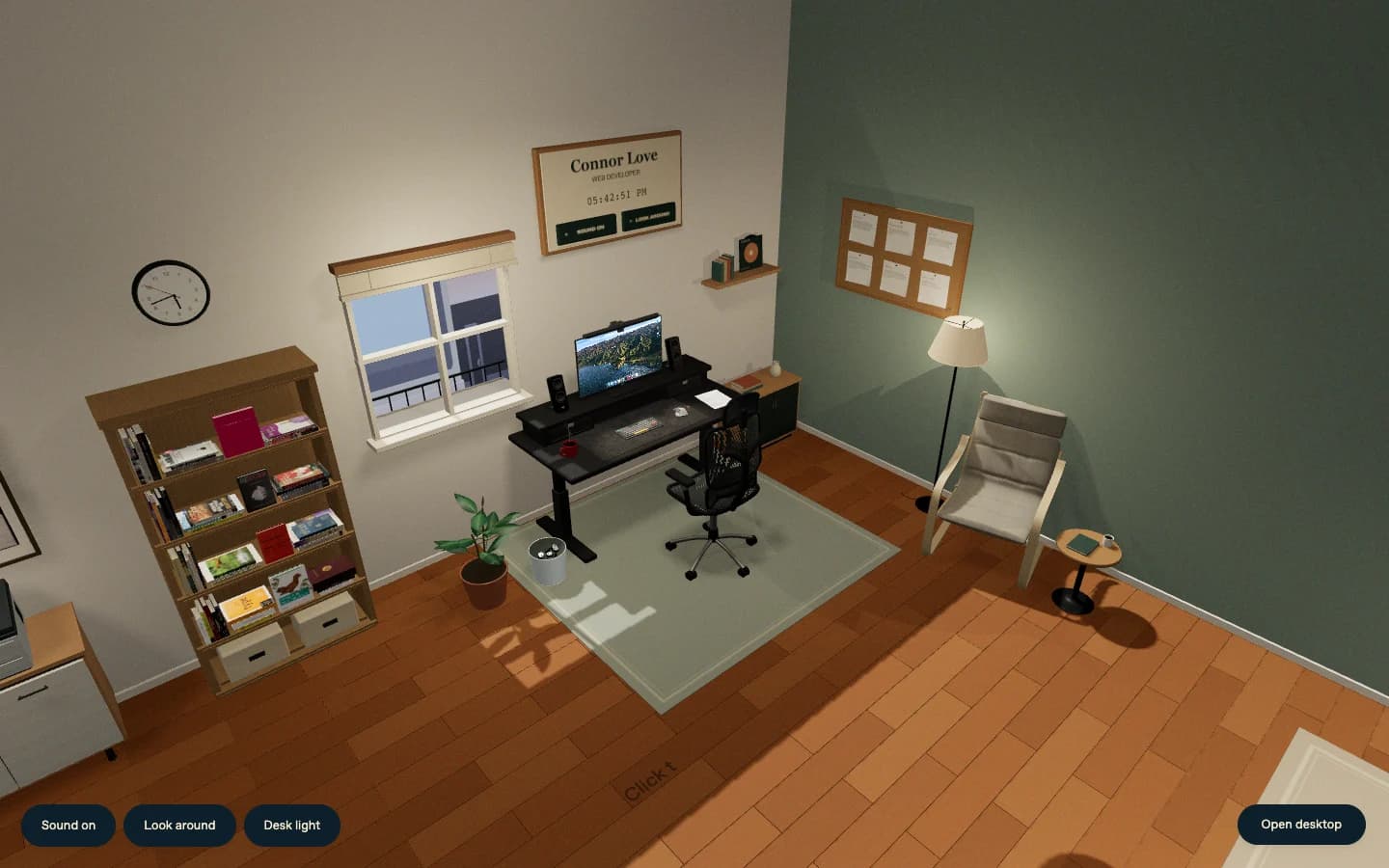
So I built a 3D version of my portfolio. You open a door, enter a room, and find a desk with a working computer. You can pick things up, turn them around, change the lighting, or sit at the monitor and look through my work.
The desk is my actual setup. The books on the shelf are books I've read and learned from. Those details gave me a place to start. I could build around objects that already meant something to me.
Explore the room, or keep reading for how I built it.
Why make a room?
My main portfolio already has a place for project pages and articles. I wanted this version to give people a different way to get to know me and my work.
A room let me put some of that information into objects. My projects are on the pinboard and in the computer. My résumé is a sheet of paper on the desk. The bookshelf shows some of what I've spent time learning.
It also gave me room to experiment with interactions that wouldn't belong on a normal project page. A standing desk can move. A book has a back cover. A window changes how the room is lit. Each object gave me something specific to build and a reason for someone to click.
The site lives at room.connorlove.com. I first considered calling it "desk," but the experience extends beyond the workstation. "Room" describes it better.
Starting at the door
The first view is an apartment hallway. My name is on the door, and a welcome mat sits below it. Opening the door moves the camera into the room before it settles into the overview.
That sequence introduces the space before you start clicking around. It also has a return path. Escape takes you back to the door, and you can enter again. The camera ignores extra entry commands while it's already moving so repeated clicks don't start competing transitions.
Once you're inside, clicking the desk brings you closer. Moving onto the monitor takes you into the computer view. "Look around" gives you a camera you can move yourself. These are separate camera states, which lets the code distinguish exploring the room from using the screen or inspecting an object.
There's also a direct link to the desktop. If you came for my work and don't want to explore the room first, you can go straight there.
Building the desk and the room
The site uses Three.js for the 3D scene, React for the interface and desktop apps, TypeScript, and Vite. The room and the standalone desktop ship in the same static build.
Much of the room is assembled in code. The desk, shelves, walls, and other objects use geometry with dimensions and positions that I can adjust. Other pieces use imported 3D models. The scene combines that geometry with photographed artwork and textures.
The desk has separate parts for the tabletop, lifting mechanism, and things resting on it. When the desk rises, the monitor and accessories move with it. The computer's HTML screen moves too. Otherwise, the desk could rise while the page inside the monitor stayed behind.
Even the keyboard has individual keys. Its NuPhy Air75 layout contains 84 keys, and physical keyboard input drives their pressed state. Holding a key doesn't repeatedly trigger the click sound just because the browser sends repeated key events.
The computer is a web interface
The monitor contains a React desktop with movable windows, a dock, and apps. You can read about me, browse projects, open Notes, use a terminal, or try the calculator. The Music app has a work playlist with track previews.
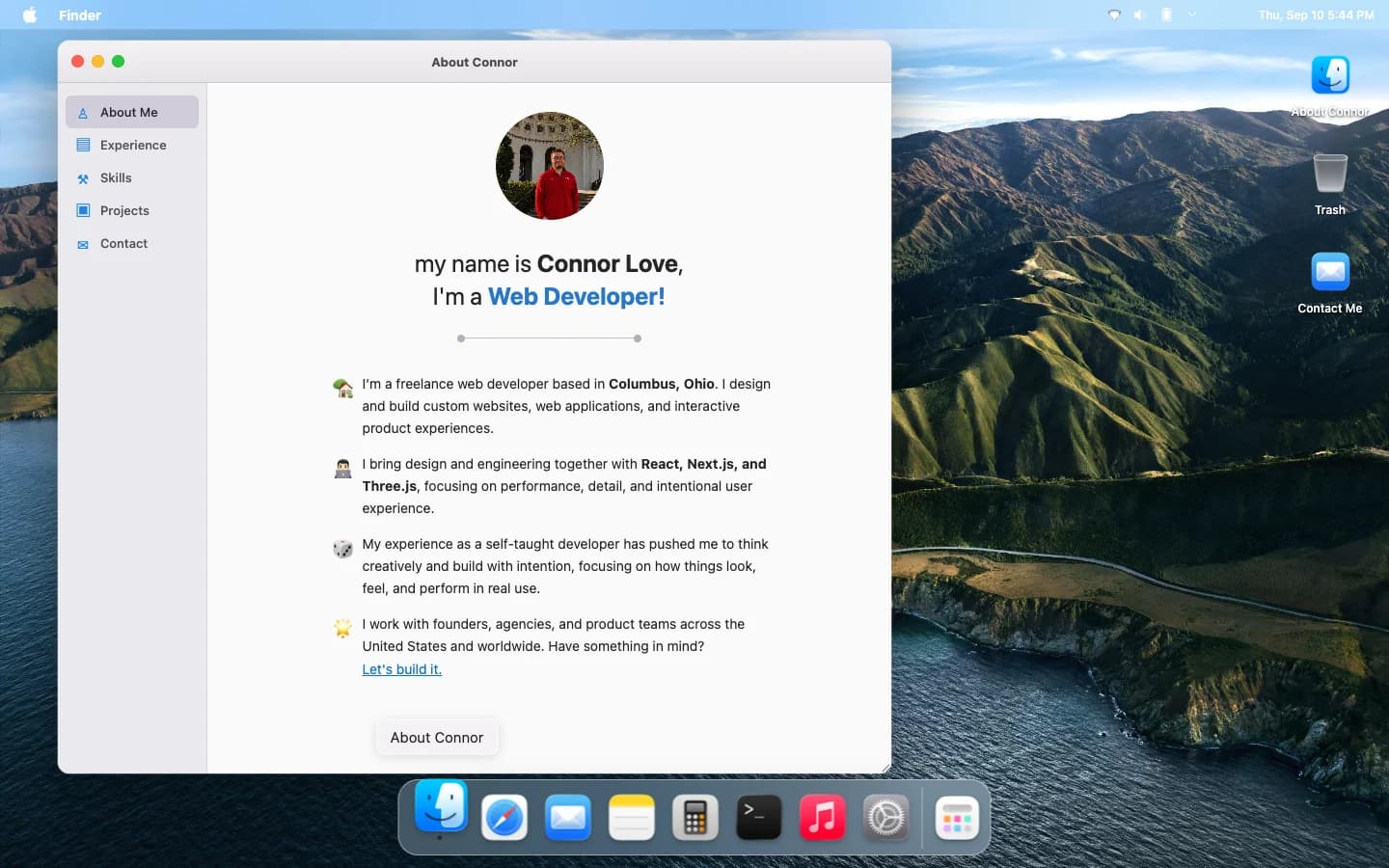
The screen uses an iframe positioned in the scene with Three.js's CSS3DRenderer. WebGL draws the physical monitor and the room around it. The browser draws the HTML inside the screen.
That lets the desktop use ordinary web controls. Text can be selected, inputs accept typing, and windows can be dragged. The room and desktop pass input events between them so the camera and physical keyboard can respond while you're using the screen.
The desktop's browser app also uses an iframe for supported project sites. It's a way to visit those projects inside the computer. It isn't a full browser with arbitrary web search, and a site has to permit embedding before it can appear there.
The books are personal
The shelf contains books I've actually read and that helped me learn. Putting them here gives someone a way to discover that part of me without reading another biography paragraph.
Click a book and it comes off the shelf. Drag to turn it around, then put it back. The book you inspect is the same object that was sitting in the room.
The code saves the object's original parent, position, rotation, and scale before bringing it toward the camera. When you put it back, those saved values return it to its place on the shelf.
The cover, spine, and back use separate artwork where it's available. Some missing surfaces use plain backs or readable spine labels. I haven't treated an invented jacket as an exact copy of the real book.
The résumé follows the same physical idea. A sheet lifts from the desk before opening for reading. The paper has a small physics simulation, with part of its top edge held in place and the rest allowed to bend as it moves.
Light and sound belong to the room
The window's daylight follows a solar calculation for New York. It's a simulated day and night cycle based on the clock, rather than live weather. The streetscape outside is inspired by the city, not an exact reconstruction of a particular block.
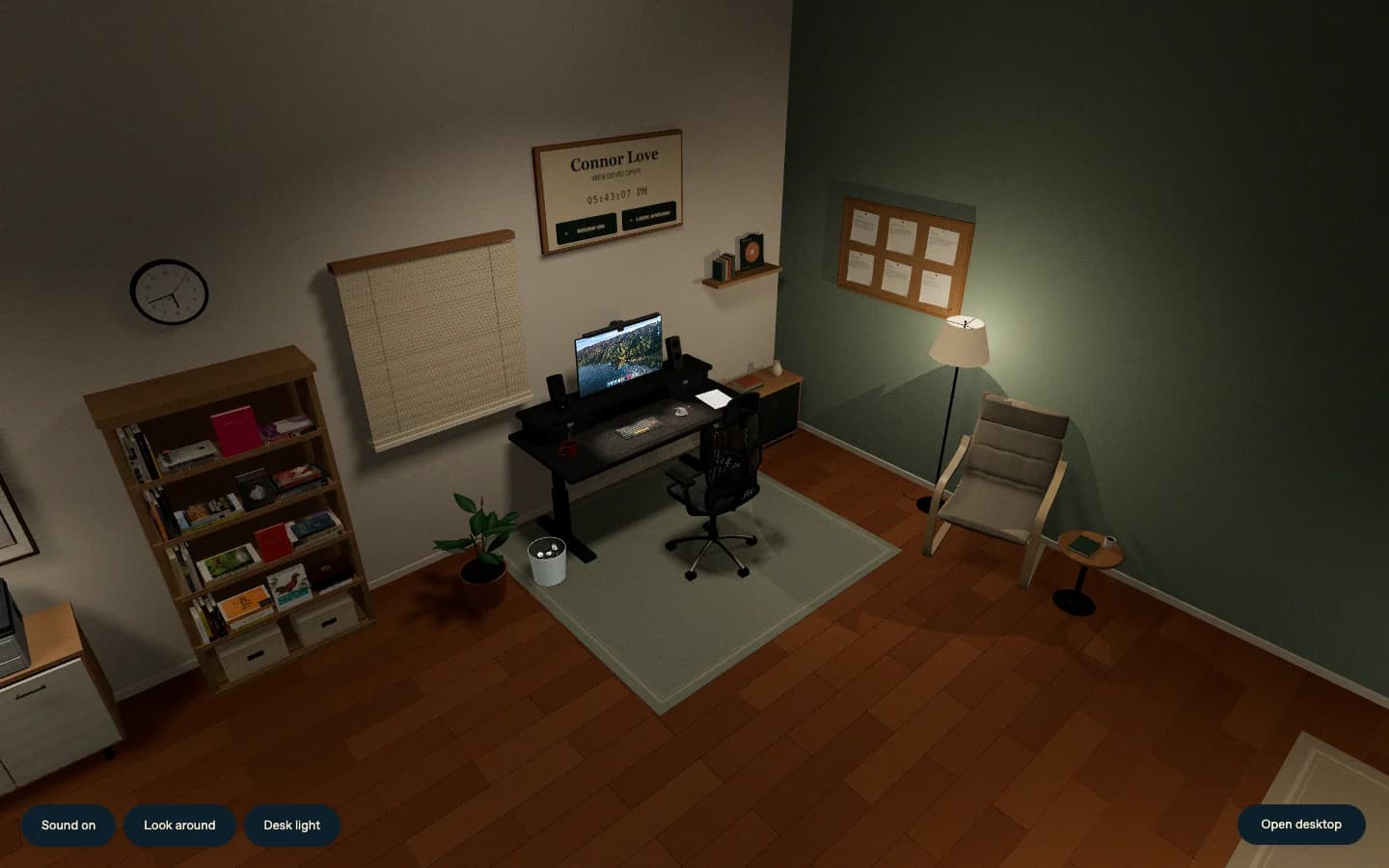
You can lower the blinds and switch lights on or off. The monitor light has its own controls for power, brightness, and color temperature. Closing the blinds changes the light entering the room, so the lamps become more noticeable.
I recorded the sounds of NYC while I was there over the summer attending Vercel Ship.
Sound starts when you open the door. A city recording and a quiet room tone play beneath the object sounds. The desk motor responds to movement, and the keyboard has a click for each press. There's a visible mute control. The ambient loops pause when the tab is hidden or you return to the closed door.
These details give actions consequences you can see or hear. Raising the desk moves its contents. Closing the blinds darkens the room. Picking up a book leaves a space on the shelf until you return it.
Making it work in a browser
All of those objects have a cost. Book artwork, shadows, and the desktop wallpaper can use a lot of memory before someone has touched anything.
Touch devices use smaller book textures and a smaller wallpaper. A book can load a sharper texture when you pick it up and release it when you put it back. The renderer also limits shadow maps according to the device's available texture units.
Those choices reduce the amount of work the browser has to do. They don't mean a phone will perform like a desktop. The project has checks for mobile memory behavior and rendering errors, but browser emulation can't reproduce an iPhone's actual process memory limit.
The entrance and object pickup code also check the reduced-motion preference. I kept the direct desktop link because the room shouldn't be the only way to reach the information inside it.
Come have a look
I wanted people to be surprised by what a portfolio could be. Building around my own desk and the books I've learned from gave that experiment something personal to work with.
You can read my projects on the main site, or open the door and find them in the room. Try picking up a book before you sit at the computer.